When coworking space owners choose a booking system, they usually think about the customer-facing side: a nice calendar, fast checkout, a clean interface. But the real problems most often show up behind the scenes, once bookings start piling up across multiple time zones and workstations.
This is the story of a common situation: a coworking space with several work zones, customers spread across time zones, and a team that spent every day fighting their own booking system instead of serving customers.
Want to see for yourself?
7-day free trial, card required.
The problem: three things breaking the workday, every day
According to the coworking team, the old booking system created three constant sources of stress:
- Time zone confusion. Customers booked desks from different time zones, and the system displayed booking times incorrectly, or lost them entirely. The result: double bookings for the same desk, or the opposite, empty-looking slots that were actually taken.
- Lost notifications. New bookings only arrived by email, which the team didn’t check right away. A customer would show up, and the front desk had no idea the spot was already booked, or free.
- Fake bookings. The old system had no protection against bots or spam submissions, so the calendar filled up with fake entries that needed manual checking and deleting every day.
Each of these three problems looks small on its own. Together, they meant the team spent hours every day not growing the business, but untangling their own calendar.
The fix: what changed after switching to Baza Booking Calendar
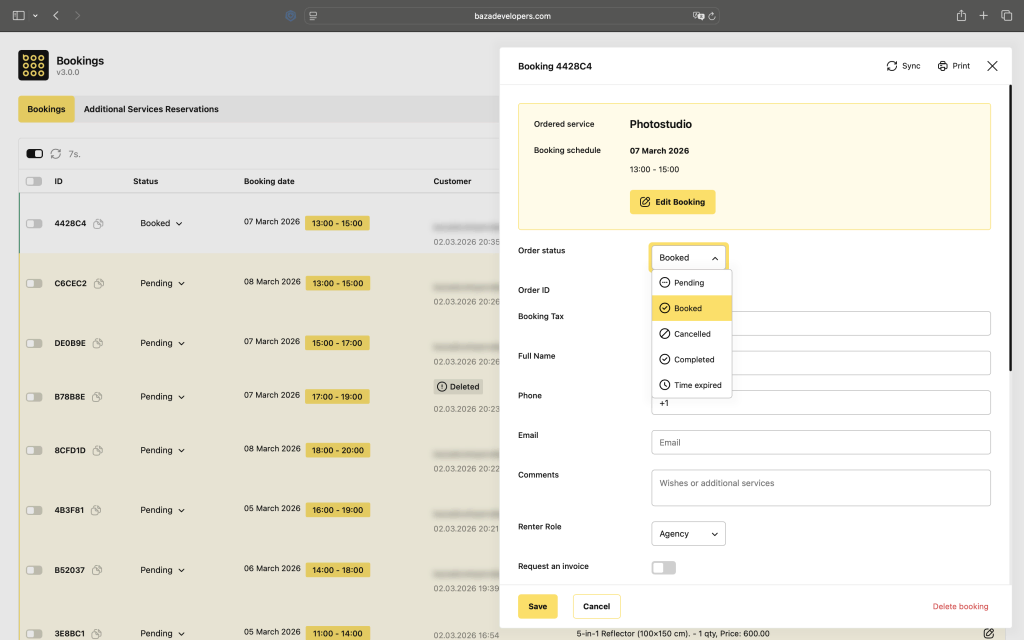
Switching to Baza Booking Calendar closed all three problems with built-in mechanisms, no extra plugins or manual workarounds required.
Time zones. The calendar correctly handles each customer’s time zone at booking time, so no matter where a customer is booking from, the slot displays correctly for both them and the admin.
Notifications. Instead of relying on email alone, the team set up Telegram notifications, so a new booking shows up instantly, no need to keep checking the inbox. For a team working right there on-site, that meant knowing about a new customer while they were still walking through the door.
Fake bookings. Built-in form validation and rate limiting significantly cut down on spam submissions, so the team no longer spends time cleaning up the calendar by hand every day.
Need help getting set up?
We can help you configure notifications and spam protection for your coworking space specifically.
Why these changes mattered
What matters most in this case isn’t any single feature on its own, it’s that all three problems got solved at once, with no need to buy extra add-ons or stitch together third-party services. Time zone handling, Telegram notifications, and spam protection are already included in the Pro plan, so the team didn’t have to piece together a solution from several different tools.
For a coworking space booking out dozens of desks a day to customers across different time zones, that means one simple thing: the team spends its time on people, not on fighting the calendar.
If this sounds familiar
If your coworking space, rental business, or any appointment-based service is running into similar symptoms (double bookings, missed notifications, spam in the calendar), it’s worth checking whether your current system actually solves this, or whether you’ve just gotten used to spending time fixing the same mistakes manually every day.
Bottom line
This case shows a common situation for many service businesses: the problem isn’t unhappy customers, it’s a team spending its time fighting a tool that was supposed to save that time. Three specific changes, time zone handling, Telegram notifications, and spam protection, removed the main burden and let the coworking team focus on working with people instead of untangling calendar chaos.
Ready to clear up your own schedule?

