Online booking should feel effortless, both for the business collecting reservations and for the customer trying to make one. Too often, though, booking widgets get in the way. Clunky service pickers, confusing price calculations, forms that reset if you click the wrong button. That’s the exact problem Amelio was built to solve.
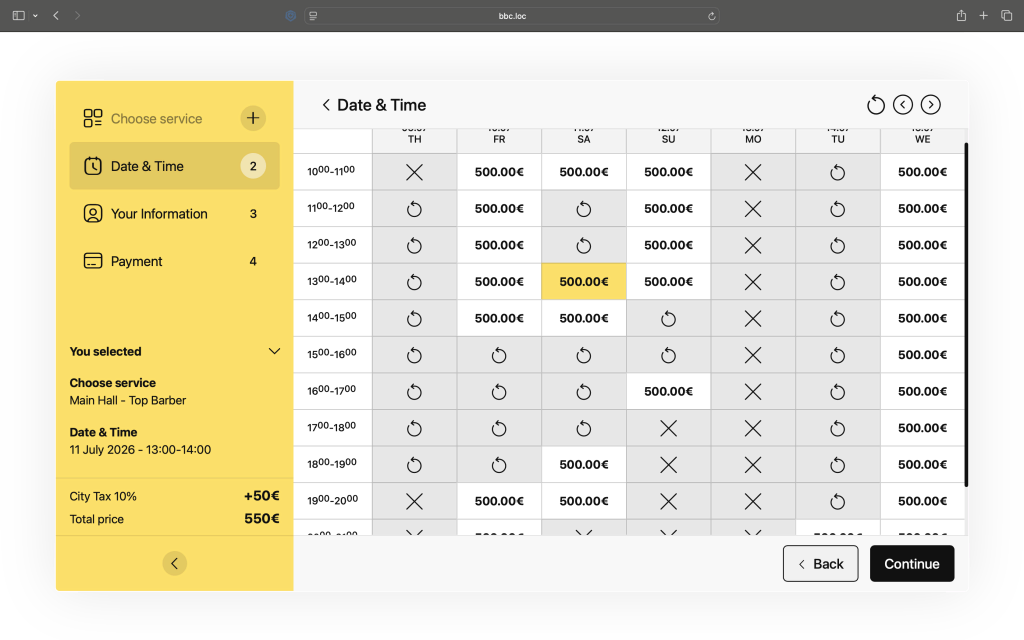
Amelio is a modern booking interface built on top of Baza Booking Calendar. It’s designed to give WordPress sites a booking flow that feels less like filling out a government form and more like using a well-designed app. Below, we walk through what makes Amelio functional, flexible, and genuinely convenient, both for site owners configuring it and for the customers using it.
What Amelio Actually Does
At its core, Amelio takes the booking logic already powering Baza Booking Calendar (services, specialists, availability, group capacity, coupons) and wraps it in an interactive, front-end experience. Instead of a static form with dropdowns, users get a guided, step-by-step flow: pick a service, choose a time slot, review a live price summary, and confirm. Every step responds instantly, without page reloads, and the interface adapts to whatever business is using it. That could be a single freelance specialist, a multi-location studio, or an agency offering dozens of service variations.
Service Selection That Doesn’t Overwhelm
One of Amelio’s defining features is how it handles service selection. Rather than dumping every available service into a long list, the interface groups and presents options so customers can scan and choose quickly. No service is pre-selected by default. Customers make an active choice, which avoids the common booking-widget mistake of people accidentally confirming a service they never meant to pick. It’s a small detail, but it removes a source of booking errors and support requests before they happen.
For businesses with add-on services (extras layered onto a core booking), Amelio supports this naturally, letting customers build out exactly the booking they want without navigating away from the main flow.
A Price Summary That Actually Keeps Up
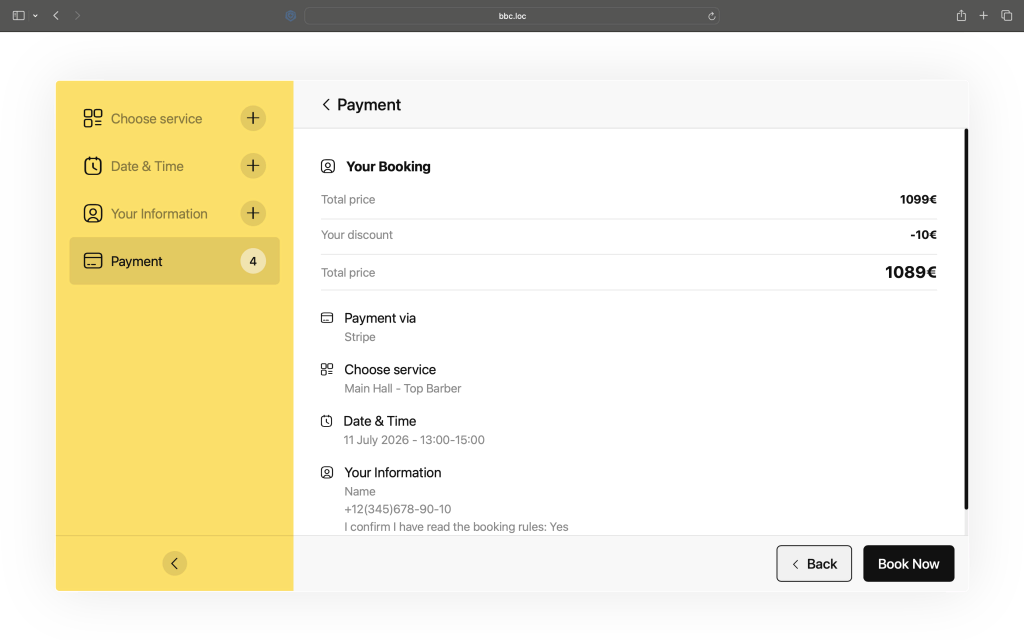
Nothing erodes trust in a booking form faster than a price that doesn’t update correctly, or a total that lingers on screen after a customer has changed their selection. Amelio’s price summary is built to stay in sync with whatever the customer is doing, whether that’s selecting a service, changing a time slot, clearing a previously chosen date, or adding an extra. The summary recalculates and persists correctly through all of these actions, so customers always see an accurate reflection of what they’re about to book, never a stale number left over from a step they’ve already moved past.
This kind of state management sounds like a backend detail, but it has a direct effect on conversion. Customers who don’t trust the price they’re seeing hesitate, double-check, or abandon the booking altogether. A summary that’s reliably correct removes that friction entirely.
Built for Multi-Specialist and Group Bookings
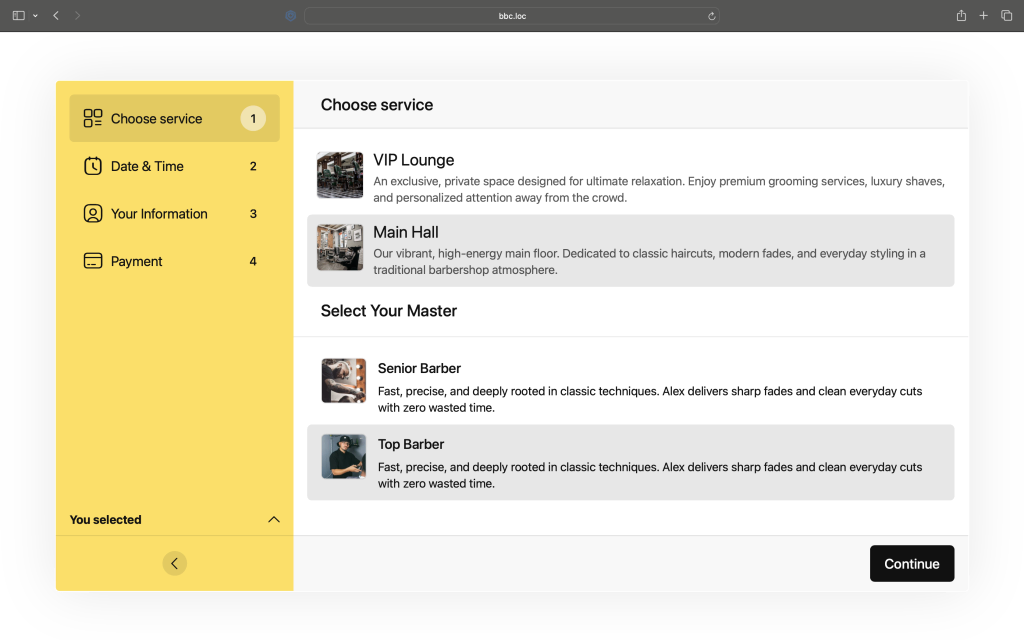
Because Amelio sits on top of the Baza Booking Calendar booking engine, it inherits support for more complex booking scenarios without extra configuration overhead:
- Per-specialist calendars. Each specialist can be treated as its own bookable entity, with independent availability, so a salon, clinic, or studio with multiple staff members doesn’t need a separate plugin instance per person.
- Group bookings with attendee limits. For classes, workshops, or tours, Amelio handles capacity limits directly in the booking flow, showing remaining spots and preventing overbooking.
- Custom form fields. Businesses that need more than a name, email, and phone can extend the booking form to capture whatever information the service actually requires.
The result is a widget flexible enough for a solo consultant taking one appointment at a time, and for a business running group sessions with dozens of attendees, using the same interface.
Theming That Matches the Site, Not the Plugin
A booking widget that looks like it was bolted onto a site is an easy way to lose customer confidence. Amelio supports per-instance theme overrides, meaning a single site can run different visual styles for different booking widgets. That’s useful for agencies managing several client brands or businesses that want the booking form to visually match a specific landing page rather than a generic site-wide default. Theming is handled at the shortcode level, so switching styles doesn’t require duplicating code or maintaining separate templates.
Multilingual by Design
For businesses operating across language markets, a booking widget that only works in one language isn’t really usable. Amelio is built with full multilingual support through Polylang, covering interface strings, service names, and confirmation messages across multiple languages out of the box. That means a business running in Ukrainian, Polish, German, Slovak, and Russian markets, a common setup for BazaDevelopers clients, gets a booking experience that feels native in each language, not machine-translated as an afterthought.
Promotions and Incentives Built In
Amelio supports coupon codes directly in the booking flow, letting businesses run promotions, discounts, or referral incentives without needing a separate plugin or manual price adjustments. Customers can apply a code and see the discount reflected immediately in the live price summary, reinforcing the same “what you see is what you get” reliability that runs through the rest of the interface.
Why the Convenience Actually Matters
It’s tempting to treat interface polish as a nice-to-have. But for booking flows specifically, convenience is directly tied to revenue. Every extra click, every moment of confusion about price, every accidental wrong selection is a chance for a customer to close the tab instead of completing a booking. Amelio’s design choices, no pre-selected services, a price summary that never lags behind the customer’s actions, native multilingual support, group booking logic that prevents overbooking, all point toward the same goal: reducing the number of moments where a customer might hesitate or bail.
For business owners, the convenience shows up differently. It means less time spent on support tickets about “the price was wrong” or “I got charged for the wrong service,” and more confidence that the booking widget represents the business well, whether it’s serving one specialist or an entire team.
Built to Extend
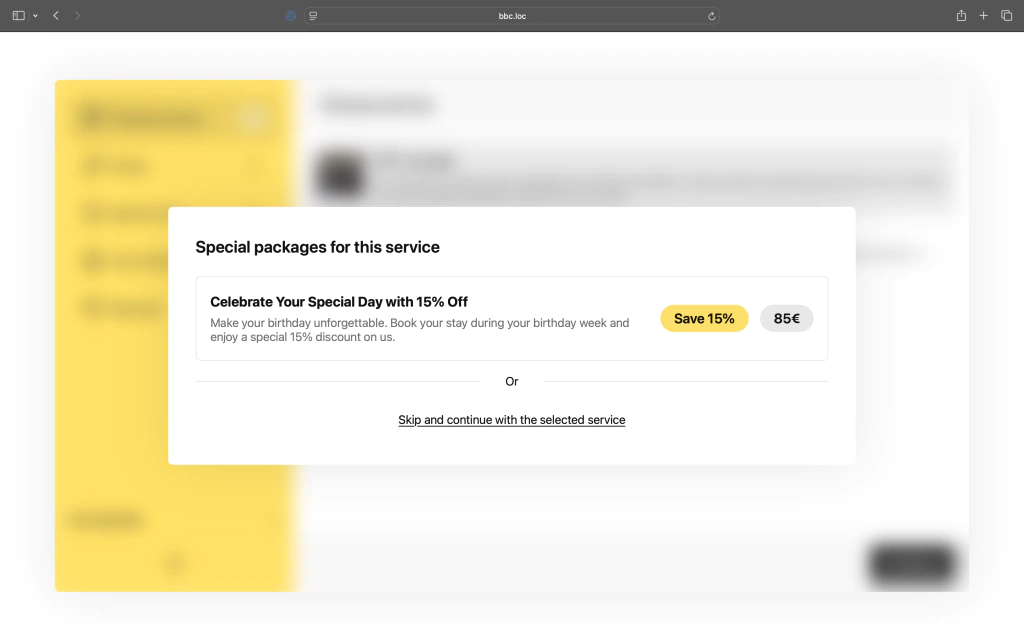
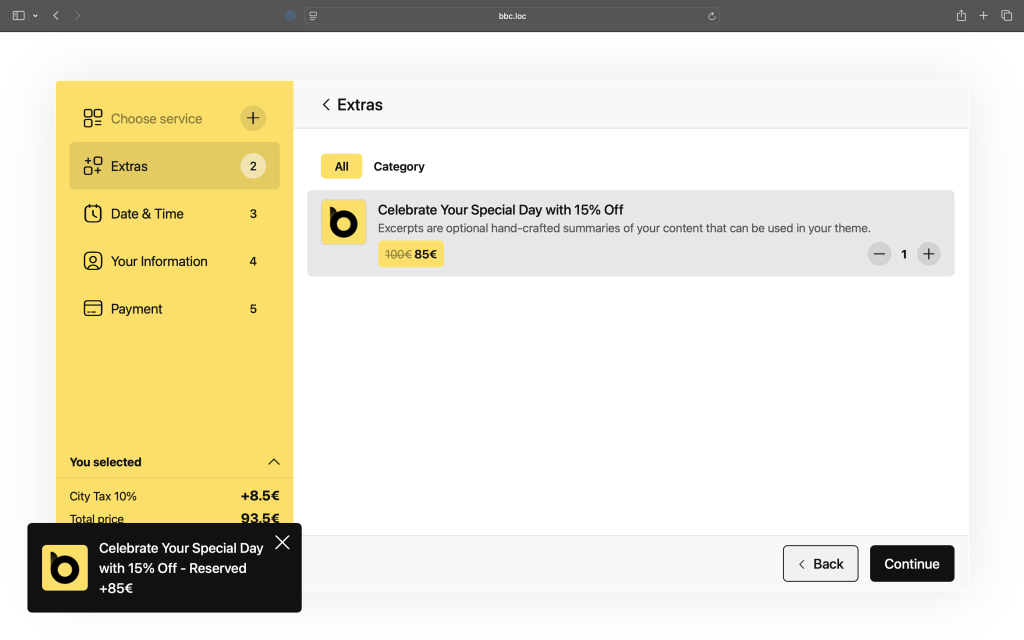
Because Amelio is layered on top of Baza Booking Calendar rather than replacing it, businesses already using Baza Booking Calendar admin-side tools (service management, specialist assignment, booking dashboards) don’t need to relearn anything to take advantage of Amelio’s front-end improvements. It’s an upgrade to the customer-facing experience, not a parallel system to maintain.
Final Thoughts
Booking widgets are one of those pieces of a website that customers interact with directly, right at the moment they’re deciding whether to become a paying customer. Amelio was built around that reality. Every interaction, from service selection to the final price check, is designed to be immediate, accurate, and clear. For businesses that depend on online bookings, salons, studios, consultants, agencies, and beyond, that combination of functionality and genuine usability is what turns a booking page from a formality into a conversion tool.
In this category
-
 Beauty Salon Booking Software for WordPress
-
 Best WordPress Booking Plugins in 2026: 10 Solutions Compared
- Booking Calendar for WordPress: How to Streamline Your Booking Process
- Online Booking Plugin for Photo Studios: Why Your Website Needs It
-
 Photo Studio Booking Software for WordPress
-
 Special Offers: Turning a Single Click Into an Upsell
-
 WooCommerce Bookings with Custom Price and Minimum Hours from Product Metadata
-
 WordPress Booking Plugin with Google Calendar - Full Setup Guide (2026)
-
 WordPress Booking Plugin with SMS Notifications: Cut No-Shows with the Right Gateway
-
 Zapier Integration for WordPress Booking Calendar - Automate Every Booking

