Booking Calendar for WordPress: How to Streamline Your Booking Process
In today’s fast-paced world, businesses of all kinds, from service providers to consultants and hotels, need a simple yet effective way to manage appointments, reservations, and bookings. A booking calendar for WordPress can transform your website into a fully functional platform for scheduling and payments, saving you time and improving your customer experience.
In this article, we’ll explore the importance of using a booking calendar, its benefits, how it integrates with WordPress, and how you can optimize your calendar plugin to provide seamless booking experiences for your clients.
Why You Need a Booking Calendar on Your WordPress Site
Whether you’re running a salon, offering consulting services, or managing a bed and breakfast, having a booking system on your website can significantly improve your business operations. Here are several reasons why a booking calendar is essential:
- Automation: A booking calendar automates appointment scheduling and booking confirmations, which can save a lot of manual work and reduce human error.
- 24/7 Availability: Your customers can book services anytime, even outside of working hours, which increases bookings and convenience for both you and your clients.
- Customizable Options: You can set specific availability times, prevent double-booking, and offer personalized services based on your business type.
- Payment Integration: With booking calendar plugins, you can integrate payment gateways like PayPal, Stripe, or other local payment solutions, allowing customers to pay at the time of booking.
Choosing the Best Booking Calendar Plugin for WordPress
When selecting a booking calendar plugin for your WordPress site, there are several factors to consider:
- Ease of Use: Choose a plugin with a user-friendly interface that doesn’t require technical expertise to set up.
- Customization Options: The ability to customize the look and feel of the calendar to match your website’s branding is crucial.
- Mobile Responsiveness: Ensure that the booking calendar works seamlessly on mobile devices, as many customers will be using smartphones to book appointments.
- Integration with Payment Systems: Look for plugins that integrate with popular payment gateways to streamline the payment process.
- Support and Updates: Choose a plugin with a strong support system and regular updates to ensure the calendar stays functional and secure.
Top WordPress Booking Calendar Plugins
Now that we know the benefits and key factors to consider, let’s take a closer look at some of the most popular booking calendar WordPress plugins:
1. Baza Booking Calendar
Baza Booking Calendar is an excellent choice for businesses of all sizes. It’s designed to offer flexibility, ease of use, and integration with a variety of external services, including payments, SMS notifications, and calendar synchronization.
Key Features:
- Flexible scheduling and booking options
- Support for multiple services and events
- Payment gateway integrations, including PayPal, Stripe, Revolut, SumUp, та Paddle
- SMS and email notifications for confirmations and reminders
2. Bookly Pro
Bookly Pro is one of the most popular booking calendar plugins for WordPress. It is highly customizable and can be used for a wide range of businesses, from salons and fitness centers to consultants and medical practitioners.
Key Features:
- Completely customizable booking forms
- Multiple payment integrations
- Email, SMS, and push notifications
- Google Calendar synchronization
- Custom booking options for different time slots, services, and staff members
3. Amelia Booking Plugin
Amelia is another powerful booking plugin designed for WordPress users. With Amelia, you can manage appointments, events, and other bookings without hassle.
Key Features:
- Beautiful and intuitive user interface
- Supports group bookings, appointments, and recurring bookings
- Integration with Google Calendar and payment systems
- Automated notifications and reminders
- Full back-end reporting and analytics
4. WP Simple Booking Calendar
For those who want a straightforward, no-fuss solution, WP Simple Booking Calendar is a great choice. This plugin is perfect for businesses with fewer appointment types and simpler booking needs.
Key Features:
- Easy to set up and use
- Basic booking functionality for small businesses
- Integration with Google Calendar
- Simple interface with calendar view and booking form
How to Set Up a Booking Calendar for WordPress
Setting up a booking calendar on WordPress is relatively easy, but it’s important to follow a step-by-step guide to ensure you get everything right. Here’s a simple process to get started:
Step 1: Choose a Booking Calendar Plugin
First, decide which plugin best fits your needs. Consider factors like the type of business you have, your customer base, and your preferred payment system.
Step 2: Install the Plugin
Go to your WordPress dashboard, click Plugins, and then Add New. Search for your chosen booking calendar plugin, click Install, and then Activate.
Step 3: Configure Your Settings
Once the plugin is activated, you’ll need to configure your settings. Set up the services or appointments you want to offer, as well as your availability. Most plugins allow you to set working hours, block out specific dates, and customize the look of your booking form.
Step 4: Integrate Payment Systems
If you plan to accept payments via the booking calendar, now is the time to integrate your payment gateways. Choose from PayPal, Stripe, or other available options in the plugin’s settings.
Step 5: Customize Your Booking Form
Make sure the booking form matches your branding and provides all the necessary fields for customers to submit. You can usually add custom fields such as name, email, phone number, and any additional details you need.
Step 6: Publish Your Calendar
Once everything is set up, it’s time to publish the booking calendar on your website. Most plugins provide a shortcode that you can place in any post or page, or you can use a widget to add the calendar to a sidebar or footer.
SEO for Your Booking Calendar WordPress Page
To ensure your booking calendar page ranks well in search engines, you need to optimize it for SEO. Here are some essential SEO tips for your booking calendar page:
1. Use the Right Keywords
Incorporate keywords like “booking calendar WordPress”, “best booking plugins for WordPress”, and “appointment booking system for WordPress” throughout your content, titles, and meta descriptions.
2. Optimize Your Page Speed
A slow-loading booking calendar can lead to frustrated users and lower search rankings. Use caching plugins, optimize images, and ensure your hosting provider offers fast load times.
3. Mobile Optimization
Since many customers will book on mobile devices, it’s essential that your calendar is responsive and works seamlessly on smartphones and tablets.
4. Add Structured Data Markup
Structured data helps search engines understand your content better, improving your chances of ranking. Use schema markup for events, products, and bookings to enhance visibility in search results.
5. Regular Content Updates
To stay relevant, update your booking calendar page regularly. This could include adding new services, adjusting availability, or publishing customer testimonials that improve trust.
Booking Calendar WordPress Success Stories
Let’s look at a few examples of businesses that have successfully implemented a booking calendar on WordPress:
1. A Local Salon
A hair salon integrated the Baza Booking Calendar plugin into their website, allowing clients to easily book appointments for haircuts and styling. They integrated Stripe for secure payments, and automated SMS reminders reduced no-shows by 30%.
2. A Fitness Trainer
A personal trainer used the Amelia plugin to manage group fitness classes and one-on-one training sessions. The trainer also synced the calendar with Google Calendar to avoid double-booking and ensure smooth operations.
3. A Small Hotel
A boutique hotel used the Bookly Pro plugin to manage room bookings and reservations. The hotel integrated PayPal and provided automated booking confirmations to customers, improving guest experience and reducing administrative work.
Final Thoughts on Booking Calendar for WordPress
A booking calendar WordPress plugin is a must-have tool for businesses looking to simplify their booking processes, improve customer experience, and save valuable time. By integrating one of the top booking plugins mentioned above, you can enhance your website’s functionality and drive more conversions.
Remember to choose a plugin that fits your business needs, and take the time to optimize it for user experience and SEO. With the right setup and proper SEO techniques, your WordPress booking calendar will not only streamline your operations but also help your website rank higher in Google’s search results.
In this category
-
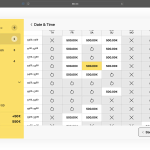 Amelio: A Smarter, Smoother Booking Experience for WordPress
-
 Beauty Salon Booking Software for WordPress
-
 Best WordPress Booking Plugins in 2026: 10 Solutions Compared
- Online Booking Plugin for Photo Studios: Why Your Website Needs It
-
 Photo Studio Booking Software for WordPress
-
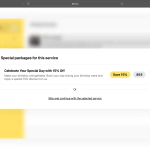 Special Offers: Turning a Single Click Into an Upsell
-
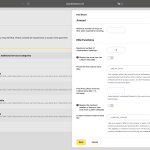 WooCommerce Bookings with Custom Price and Minimum Hours from Product Metadata
-
 WordPress Booking Plugin with Google Calendar - Full Setup Guide (2026)
-
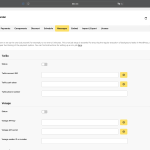 WordPress Booking Plugin with SMS Notifications: Cut No-Shows with the Right Gateway
-
 Zapier Integration for WordPress Booking Calendar - Automate Every Booking

