Comparing Baza Booking Calendar and Amelia? Both are popular WordPress booking plugins, but they solve very different problems, and the booking experience they offer your clients couldn’t be more different.
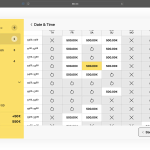
Amelia walks clients through a multi-step wizard: pick a service, pick a staff member, pick a date, pick a time, fill out a form, confirm. Baza Booking Calendar does it in a few clicks, select a time range on the calendar, fill out one form, done. Time slots can be set anywhere from 15 minutes to 1 hour, so it fits both quick sessions and full-hour bookings. For businesses where clients book by the hour, that difference alone changes your conversion rate.
Beyond UX, the two plugins serve different use cases entirely. Amelia is built around staff-based appointment scheduling. Baza Booking Calendar is built for flexible time-slot bookings, photo studios, co-working spaces, sports courts, rehearsal rooms, equipment rental, tutoring centers, and any service business where time is the product. If you’d rather guide clients through a step-by-step flow similar to Amelia’s wizard, Baza Booking Calendar also offers a themed step-based booking layout, so you can choose the flow that fits your business.
Quick verdict: If your clients book by the hour and you want a fast, frictionless booking flow, Baza Booking Calendar wins on UX, unique features, and notification channels. If you manage multiple staff members with individual schedules and need recurring appointments, Amelia is the better fit.
Want to see for yourself?
7-day free trial, card required.
Plugin Overview
Baza Booking Calendar is a WordPress booking plugin built for real-time reservations with flexible time slots, from 15 minutes up to a full hour, or a whole day at once with the daily calendar view. Clients book in a few clicks, no multi-step wizard required (though a themed step-based layout is available if you want one). The calendar refreshes automatically via AJAX, with a configurable update interval, so availability is always accurate. Key features include the slot capacity system (multiple bookings per time slot), a real-time visual dashboard for additional services, Telegram and Viber notifications, dynamic hourly pricing, a built-in multi-tier loyalty program, built-in accounting, a customer rating system, Zoom integration, and a custom booking form builder.
Amelia is one of the most widely used WordPress appointment booking plugins. It’s built around a multi-step booking wizard that guides clients through service selection, staff, location, date, and time. It excels at staff-based businesses, salons, clinics, consulting practices, with recurring appointments, service packages, Zoom integration, and multi-location support.
Baza Booking Calendar is best for: photo studios, podcast studios, co-working spaces, sports courts, rehearsal rooms, equipment rental, escape rooms, medical clinics, tutoring centers, hotels, guesthouses, and vacation rentals, any business where clients book hours, whole days, or appointments without a specific staff member.
Amelia is best for: salons, spas, beauty businesses, therapists, clinics with multiple practitioners, consulting firms, businesses where clients book a specific person for a defined service.
Booking Features Comparison
The biggest functional gap is the booking flow itself. Amelia uses a multi-step wizard, clients click through 4-6 screens before confirming. Baza Booking Calendar uses a single-page calendar: click start time, click end time, fill out and submit one form, three actions total. For flexible-duration bookings this is the difference between a 30-second booking and a 3-minute ordeal. If your business prefers a guided wizard experience anyway, a themed step-based layout is also available.
The second major gap is the slot capacity system, the ability to accept multiple simultaneous bookings for the same time slot. If your space has 3 zones, 3 clients can book the same hour independently. Amelia has no equivalent feature. The calendar also shows live capacity (e.g. 2/3 spots taken) so clients always see real availability without refreshing.
| Feature | Baza Booking Calendar | Amelia |
|---|---|---|
| Hourly time slots (15/20/30/60 min) | Yes | Yes |
| Multi-hour bookings (e.g. 3h, 5h, 8h) | Yes, any duration | No, fixed slot only |
| Whole-day booking mode | Yes, dedicated daily calendar view | Not available |
| Two-click booking (single page) | Yes, 2 clicks | No, 4-6 step wizard |
| Slot capacity system | Yes, built-in | Not available |
| Real-time calendar updates (AJAX) | Yes, configurable interval | Manual refresh |
| Multiple services / booking objects | Yes | Yes |
| Custom booking form builder | Yes | Yes |
| Calendar navigation (month slider / jump to any week) | Yes | Standard month view |
| Elementor compatibility | Yes | Yes |
| Booking statistics dashboard | Yes, revenue + top clients | Yes |
| Most active day / week analytics | Yes | No |
| Google Calendar sync | Yes | Yes |
| Google Meet link auto-generation | Yes, on synced events | No |
| Zapier integration | Yes, official app | Yes |
| REST API | Yes | Yes |
| Recurring appointments | No | Yes |
| Multi-staff management | Yes | Yes |
| Group bookings (multiple guests) | Yes | Yes |
| Service packages / bundles | Yes | Yes |
| Zoom integration | Yes | Yes |
| Customer rating system (1-5 stars) | Yes | Not available |
| Built-in accounting (income/expense tracking) | Yes, Pro+ | Not available |
| Configurable discount stacking logic | Yes, all/largest/first-match | Not available |
| Conditional surcharges tied to form fields | Yes | Not available |
Payment Gateways
Baza Booking Calendar supports Stripe, Square, PayPal, Paddle, Revolut Business, Mollie, SumUp, Klarna, iDEAL, WooCommerce. Compared to Amelia, it adds gateways more common in European markets, plus B2B-specific features like invoice requests and a city tax percentage field that Amelia lacks entirely.
| Gateway | Baza Booking Calendar | Amelia |
|---|---|---|
| Stripe | Yes | Yes |
| PayPal | Yes | Yes |
| Square | Yes | Yes |
| Revolut | Yes | No |
| SumUp | Yes | No |
| Paddle | Yes | No |
| Mollie | Yes | Yes |
| Prepayment / deposit | Yes, can be disabled for same-day bookings | Yes |
| Invoice request (B2B) | Yes | No |
| City tax % field (manual, auto-applied to total) | Yes | No |
| Dynamic pricing (second price) | Yes | No |
| Customizable checkout button text | Yes, per payment mode | No |
Notifications & Alerts
Amelia covers email, SMS via Twilio, and WhatsApp (Pro+ plan only). Baza Booking Calendar adds Telegram Bot API, Viber, SMS through Twilio, Vonage, or seven.io, and a feature no other booking plugin has: a real-time sound alert that plays in the admin panel the moment a new booking or payment arrives, no need to watch your inbox.
| Channel | Baza Booking Calendar | Amelia |
|---|---|---|
| Email (custom template) | Yes | Yes |
| Yes, Pro+ | Yes, Pro+ only | |
| Telegram Bot API | Yes, Pro+ | No |
| Viber | Yes, Pro+ | No |
| SMS (Twilio, Vonage, seven.io) | Yes | Yes |
| Real-time sound alert (admin) | Yes, unique | No |
Not sure which one fits you?
Write to us, we will point you in the right direction based on your business type.
Features Only Baza Booking Calendar Has
These features are not available in Amelia, BookingPress, MotoPress, Bookly, or any other major WordPress booking plugin:
- Slot capacity system, multiple clients can book the same time slot simultaneously. The calendar displays live availability (e.g. 1/3, 2/3) in real time.
- Whole-day booking mode, a dedicated daily calendar view for businesses where an entire day is the unit customers book, full-day studio rentals, event venues, day-long equipment rental.
- Real-time admin dashboard for additional services, a dedicated visual panel showing which add-ons (equipment, accessories, extra rooms) are booked, for how long, and how much capacity is left, updating automatically every 30 seconds.
- Multi-hour booking with flexible duration, clients can book any time range, not just fixed slots. Book 2.5 hours, 4 hours, or a full day, the price calculates automatically.
- Real-time sound notifications, instant audio alert in the admin panel for every new booking or payment. No other WordPress booking plugin has this.
- Multi-tier loyalty program, tiered discount levels with automatic tracking by total client spending.
- Telegram + Viber notifications, instant alerts via Telegram Bot API and Viber alongside WhatsApp and SMS.
- Google Meet link auto-generation, every booking synced to Google Calendar can automatically get a Google Meet video call link attached, no manual setup per event.
- Dynamic pricing (second price), set a different rate after N hours, e.g. first 3 hours at one rate, from hour 4 onwards a lower rate, configurable across a full 24-hour grid, not just a single flat rate.
- Prices per individual hours, set a unique price for each of the 24 hours in the day, not just a general hourly rate, a full grid where 09:00-10:00 can cost a different amount than 18:00-19:00.
- Per-day-of-week pricing, set a different base price for each day of the week (Monday through Sunday) directly in the schedule settings, alongside working hours and day-off toggles.
- Minimum time slots required for booking, enforce a minimum booking length (e.g. at least 2 slots) so clients can’t book a single slot when that isn’t viable for your business.
- Conditional surcharges tied to form fields, add extra fees that trigger automatically based on a custom form field’s value (not just slot count), grouped with their own application logic, each with its own custom label and description, for example a per-guest fee that only kicks in past a certain headcount.
- Invoice request mode, B2B clients can request an invoice instead of paying online.
- Configurable tax rules engine, add any number of taxes (VAT, city tax, tourist tax, and more), each with its own charging mode, per whole booking, per slot, per day, or per night, with a per-guest multiplier available too. Amelia has no equivalent.
- Customer rating system, rate every customer 1 to 5 stars, with color-coded highlights across the customer list, booking popups, and side panels for anything below a perfect 5.
- Built-in accounting module, track income and expenses tied to specific bookings and customers, with automatic and manual entry, plus a revenue/expense/profit summary, no external accounting plugin needed.
- Configurable discount stacking logic, when a booking qualifies for multiple discounts at once (volume, coupon, loyalty, personal), choose whether to apply all of them sequentially, only the largest, or only the first that matches, so the final price is never a surprise.
- Customizable checkout button text, set different button labels depending on the payment mode, full payment, partial deposit, or pay from balance, so the button always matches what’s about to happen.
- Activity log, tracks every admin action, booking edits, status changes, balance adjustments, with filters by user, object type, and date, plus CSV export.
- Real-time multi-admin editing lock, when one admin has a booking open, other team members see who’s editing it and can’t accidentally overwrite the same record, no more overlapping edits between staff.
- Visual email editor, edit each notification email directly inside a live preview, click the text to change it, click the logo to swap it, with styling controlled per section of the email, not through raw HTML.
Pricing Comparison
Amelia has a lower entry price and a free tier. Baza Booking Calendar costs more but includes all notification channels and integrations from the Starter plan, no feature-gating for the core booking experience.
| Plan | Baza Booking Calendar | Amelia |
|---|---|---|
| Entry plan (1 site) | Lower entry price | |
| Full-featured (1 site) | Mid-tier plan | |
| Agency / multi-site | (15 sites) | Unlimited sites plan |
| Free version | No, trial only | Yes, free tier available |
| Money-back guarantee | 14 days | Separate guarantee period |
| Telegram / Viber notifications | Yes, Pro+ | No |
| Loyalty program | Yes, Pro+ | No |
| Google Meet link auto-generation | Yes, Pro+ | No |
| Slot capacity system | Yes, Elite | No |
| Built-in accounting | Yes, Pro+ | No |
Final Verdict
Choose Baza Booking Calendar if you:
- Run a photo studio, co-working space, sports court, rehearsal room, escape room, equipment rental, or tutoring center
- Want built-in accounting and a customer rating system without extra plugins
- Need clients to book flexible time ranges, not just fixed 1-hour slots, or a whole day at once
- Want a frictionless booking flow, one page, a few clicks, done
- Need multiple bookings per time slot (slot capacity system)
- Want Telegram or Viber notifications alongside email and WhatsApp
- Want a built-in loyalty program to retain and reward repeat clients
- Have B2B clients who need invoice requests
- Need dynamic hourly pricing, different rates by time of day, day of week, or booking duration
- Need fine control over how multiple discounts stack on the same booking
- Need Zapier automation to connect bookings with external tools
- Want bookings synced to Google Calendar to automatically get a Google Meet link
- Need Zoom integration for online sessions
Choose Amelia if you:
- Run a salon, spa, clinic, or consulting practice
- Manage multiple staff members with individual schedules and services
- Need recurring appointments (daily, weekly, monthly)
- Want to start for free before upgrading
Ready to try Baza Booking Calendar?
In this category
-
 Baza Booking Calendar vs Bookly: An Honest Comparison
-
 Baza Booking Calendar vs Booqable: Which Booking Plugin to Choose
-
 Baza Booking Calendar vs MotoPress Booking: An Honest Comparison
-
 Baza Booking Calendar vs Simply Schedule Appointments: An Honest Comparison
-
 Baza Live Chat vs Site Chat on Telegram: Full Comparison 2026
-
 Baza Live Chat vs Tidio and Crisp: An Honest Comparison
-
 Why Baza Booking Calendar is the Ultimate amelia booking alternative for Advanced WordPress Features

