Short answer
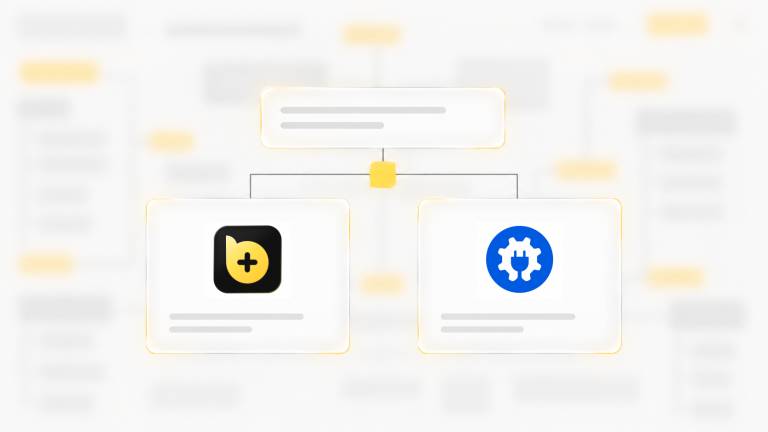
Perfmatters is a paid plugin that trims what WordPress loads: it turns scripts off page by page, hosts fonts locally and adds preloading. Baza Helper does the same core jobs and adds a page cache and image conversion in the same plugin. Perfmatters has finer rules and more preload options. Baza Helper covers more of the site around speed.
Side by side
| Feature | Baza Helper | Perfmatters |
|---|---|---|
| Turn off scripts and styles per page | Scripts and styles: scan the home page, tick what a page does not need, apply to the home page, the whole site or a section. Rules by hand too. | Script Manager: per post or page or for the whole site, filtered by device and logged-in state. |
| Lazy loading | Images as an option, iframe facades, autoplay videos after load. | Images, iframes, videos and CSS background images. |
| Local Google Fonts | Yes. Also display=swap, fewer weights, preconnect and removing unused families. | Yes, with display swap and character subsets. |
| Preloading | Font preloads and a preload for the main image of the first screen. | Preload, preconnect, DNS prefetch, fetch priority, Early Hints and speculative loading. |
| Page cache | Yes, with warm-up. | Not mentioned on its features page. |
| Image conversion | WebP (free) and AVIF (Pro). | Not mentioned on its features page. |
| Database cleanup | Yes (Pro): revisions, drafts, expired data. | Yes: revisions, auto-drafts, spam comments, trash and transients, on a schedule. |
| Delay scripts | jQuery and Elementor scripts wait for the first touch. | Delay JavaScript can hold back third-party scripts such as Google Tag Manager and the Facebook pixel. |
| Change the login address | Yes: a private word for the login address (Security). | Yes. |
| Outside performance | Redirects and 404 monitor, SEO files, cookie banner, security, content review. | Focused on performance. |
Where Perfmatters is stronger
- Rules by device and by logged-in state in the Script Manager.
- A wider set of preload tools, including Early Hints and speculative loading.
- Options to switch off WooCommerce scripts, styles and cart fragments, and to host Google Analytics locally.
- A CDN rewrite option.
Where Baza Helper is stronger
- A free page cache, and WebP, in the same plugin.
- A Speed advisor that tells you what to turn on.
- Redirects, consent, security and SEO files from one place.
- Content review with an AI assistant that you approve (Pro).
When to choose which
Choose Baza Helper if
- you want script control plus a page cache and images without extra plugins.
- you want one plugin to cover speed and basic site care.
Choose Perfmatters if
- you need rules by device or login state, or the full set of preload tools.
- you already run a separate caching plugin and want a tool that only trims what loads.
Frequently asked questions
For turning scripts off per page, local Google Fonts, lazy loading and database cleanup, yes. Perfmatters has finer script rules by device.
It can on many sites. Scan your pages in Scripts and styles, apply the same rules, and test forms, menus and sliders before you remove Perfmatters.
You can, but do not turn off the same script in both. Keep each rule in one place.
Perfmatters is paid. Baza Helper has a free plugin; database cleanup, AVIF, Critical CSS and some other tools are Pro.
How this was checked
Facts about Perfmatters were checked on its official pages on 27 October 2026. Features and plans change, so check the vendor’s site before you decide. Facts about Baza Helper come from the plugin itself.
See the Baza Helper plans and what each one includes.
More comparisons
Read how Baza Helper compares with other plugins:
- Baza Helper vs WP Rocket: a WP Rocket alternative with caching and more
- Baza Helper vs AIOSEO: an AIOSEO alternative for technical SEO and redirects
- Baza Helper vs Redirection: redirects and a 404 monitor that names who asks
- Baza Helper vs Complianz and CookieYes: cookie banner and Google Consent Mode
- Baza Helper vs MonsterInsights: analytics for leads, search and consent
- Baza Helper vs Independent Analytics: visitor stats or form lead paths on your site
- Baza Helper vs AI Engine: AI in WordPress with approval and undo

In this category
-

-
- Amelia vs Bookly vs Booked: WordPress Comparison (2026)
-

-
-
-
- Baza Booking Calendar vs Reservio: Which Booking System Actually Fits a Photo Studio?
-
-

-

-

-

-

-

-

-

-

-

-

-

- How to Connect LiqPay to WooCommerce in 10 Minutes
-