WooCommerce – AI Order Assistant & Telegram Notifications
The WooCommerce tab unlocks two independent features – AI Order Assistant and Telegram order notifications. Both require a Pro license and WooCommerce installed and active.
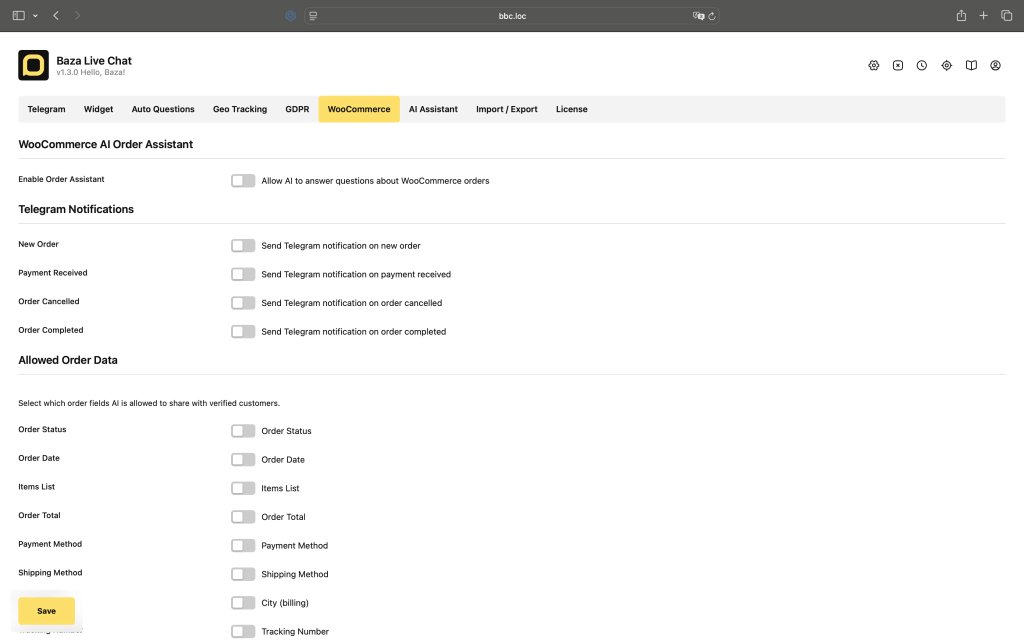
AI Order Assistant
When enabled, visitors can ask about their WooCommerce orders directly in the chat widget. The AI verifies the customer’s identity before sharing any order data – no sensitive information is ever exposed without confirmation.
How verification works
- Visitor mentions an order – AI detects the inquiry using your configured keywords
- AI asks for the order number and the email address or phone number used at checkout
- The plugin checks whether the provided credentials match the order in WooCommerce
- If they match – AI shares the allowed order data
- If they do not match – the attempt is counted. After the maximum allowed attempts the session is handed to a human operator
Allowed order data
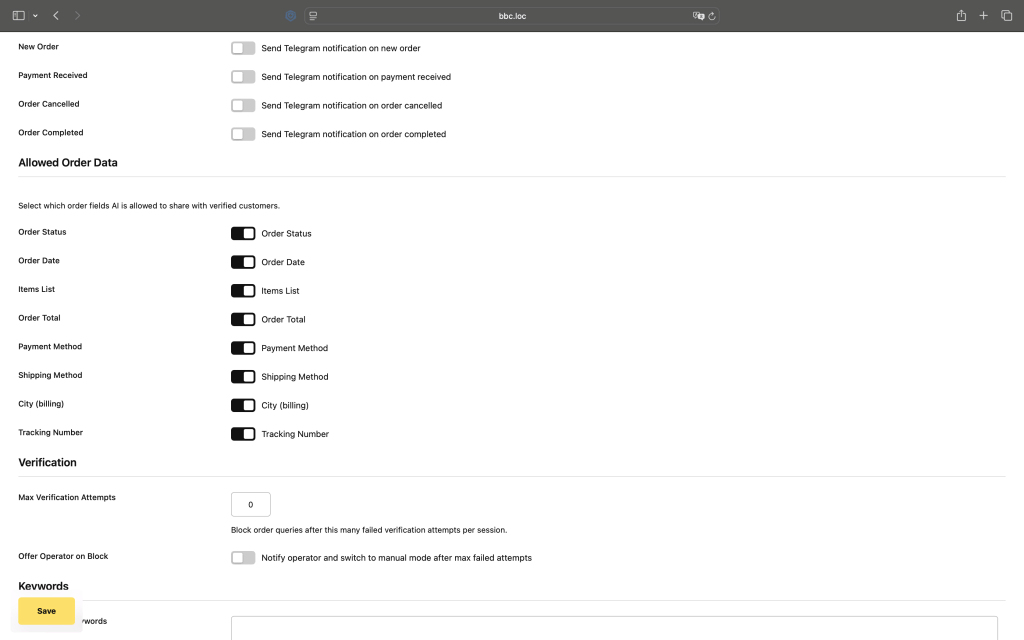
You control exactly which fields the AI is allowed to share. Go to Settings – WooCommerce – Allowed Order Data and enable or disable each field individually.
- Order Status – e.g. Processing, Completed, On Hold
- Order Date – the date the order was placed
- Items List – product names, quantities, and links
- Order Total – formatted with currency
- Payment Method – e.g. Direct Bank Transfer, PayPal
- Shipping Method – e.g. Free Shipping, Flat Rate
- City – billing city only, disabled by default
- Tracking Number – from
_tracking_numbermeta field, disabled by default
The customer’s full email address, phone number, and billing address are never shared – even if the visitor asks for them directly.
Verification settings
Max Verification Attempts – how many times a visitor can provide incorrect credentials before the session is blocked and handed to an operator. Default is 3.
Offer Operator on Block – when enabled, after the maximum failed attempts the AI mode is turned off and you receive a notification in Telegram to take over the conversation manually.
Keywords
The AI Order Assistant activates when a visitor message contains one of your configured keywords. Default keywords include: order, заказ, замовлення, tracking, доставка, статус, where is my, де мій, gdzie jest. Edit the list under Settings – WooCommerce – Keywords to match your language and audience.
Messages
You can customize all messages the AI uses during the verification flow.
- Verification Request – shown when a visitor asks about an order but has not provided credentials yet
- Verification Failed – shown when the credentials do not match the order
- Max Attempts Reached – shown when the visitor has exceeded the allowed number of attempts
AI System Prompt (WooCommerce)
An additional system prompt added to the main AI instructions when a verified order is present. Use it to define exactly how the AI should present order information – tone, format, language rules. Click Fill with default prompt to load a ready-to-use starting point.
Telegram Order Notifications
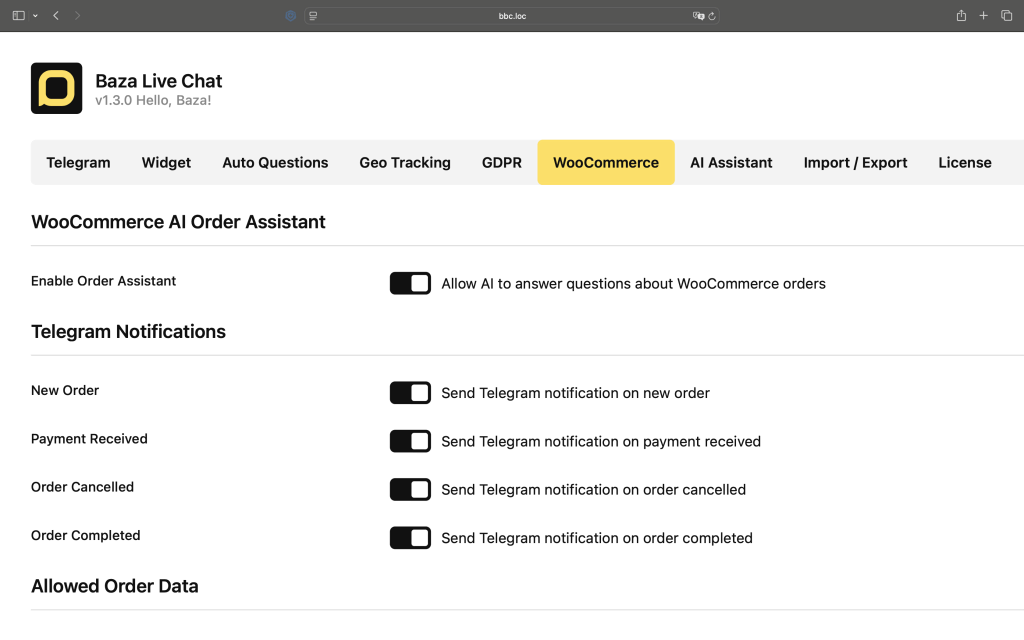
Receive instant Telegram messages when WooCommerce order events happen – no need to stay logged into WordPress to know what’s going on in your store.
Available notifications
- New Order – sent when a customer places an order. Includes order total, customer name, email, phone, and full items list
- Payment Received – sent when payment is confirmed
- Order Cancelled – sent when an order is cancelled
- Order Completed – sent when an order is marked as completed
Enable or disable each notification
Go to Settings – WooCommerce – Telegram Notifications and toggle each notification type on or off independently. You can for example disable Payment Received if you already track it via New Order.
Requirements
- Baza Live Chat Pro license
- WooCommerce installed and active
- AI Assistant enabled and configured with a Gemini API key (for Order Assistant only)
- Telegram bot token and Chat ID saved in Settings – Telegram
