Max Simultaneous Bookings
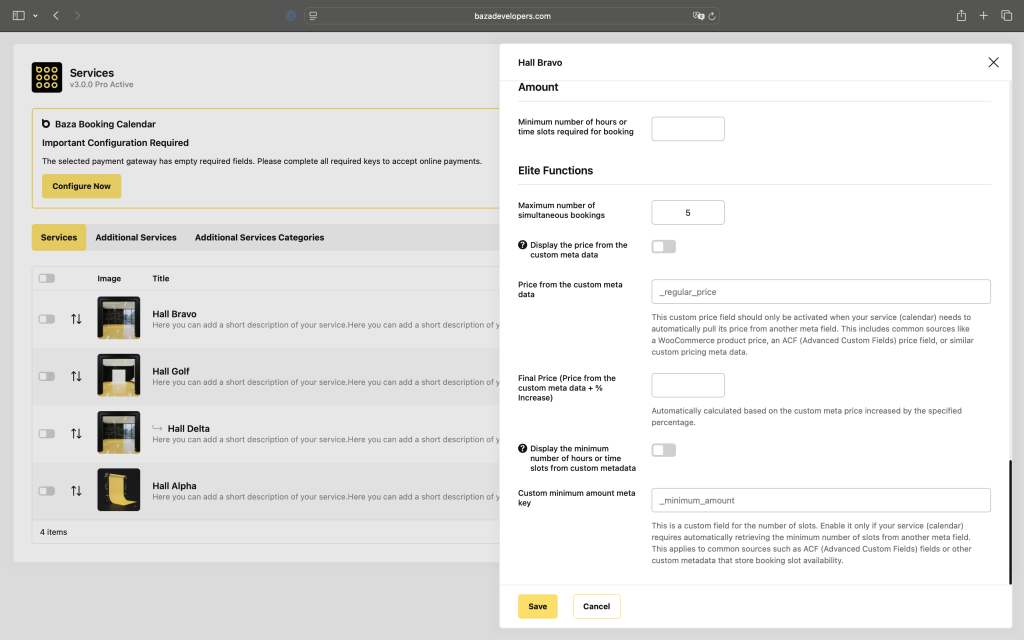
Max Simultaneous Bookings – sets the maximum number of bookings allowed per time slot.
By default, each time slot accepts only one booking. This setting allows multiple clients to book the same slot simultaneously – ideal for businesses with multiple units, zones, or group sessions.
Example
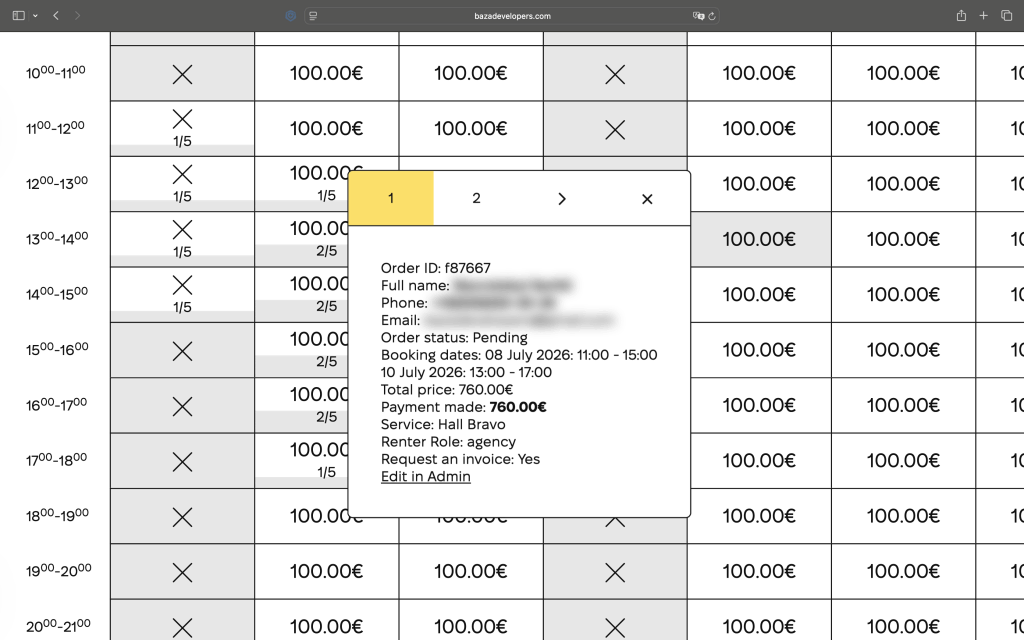
Set to 5 – the 12:00–13:00 slot accepts up to 5 bookings. The calendar displays a counter 2/5 meaning 2 out of 5 spots are taken. Once all 5 are filled, the slot becomes unavailable.
Last Modified: 09.08.2026
