Day Off By Date
Day Off By Date lets you close a specific date for the entire calendar, making it unavailable for booking regardless of service or resource. Use this feature for holidays, maintenance days, or any day when your business is fully closed.
Where to find it
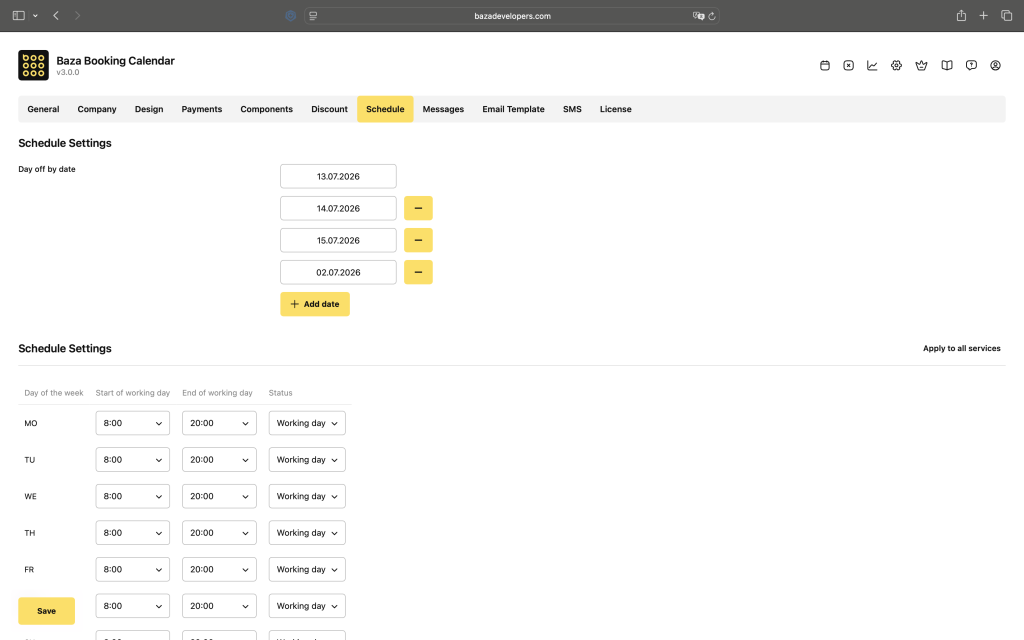
This setting is located in the general calendar settings of Baza Booking Calendar, so it applies globally rather than to a single service or resource.
How it works
Once a date is added, it becomes fully blocked in the booking calendar. Customers won’t see any available slots for that day, and no new bookings can be made against it, regardless of the service or resource selected.
Quick access from the site header
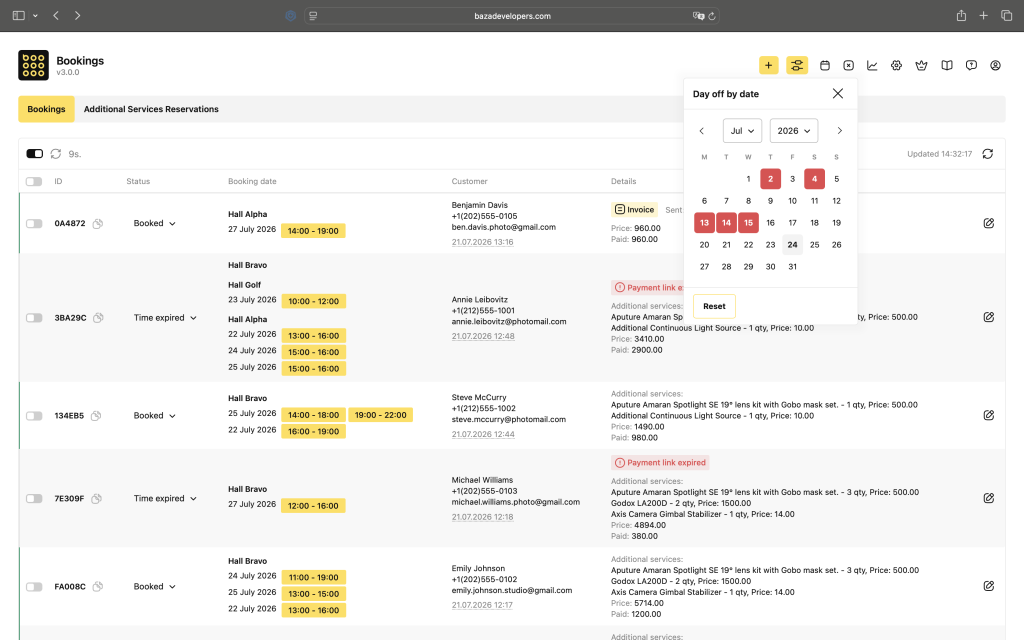
The calendar for closing dates is also available directly from the admin header, without going into settings. Just open it with one click and mark the date you need, it’s instantly added as a day off for the entire calendar. This is useful when you need to quickly close a day without navigating to the general settings.
When to use it
This feature is the right choice when the closure applies to your whole business, not just one room or staff member. To close a single service or resource on a specific date, use the day-off setting at the service level instead.
