Bookings
The Bookings page shows all bookings regardless of their status. From here you can create new bookings manually, edit existing ones, change statuses, and review all the details. Bookings created manually by an admin work the same way as ones submitted through the form, except they don’t generate a payment link.
Customers can’t edit or cancel their bookings on their own, only you (the admin) can do that. Each booking has a short ID that the customer receives and can share with you if they need help finding their reservation. When viewing the calendar as an admin, each occupied slot has a direct link to the booking edit page.
Every new booking and every status change triggers a notification to Telegram, the admin email, and the customer email, depending on which notifications you have enabled in settings.
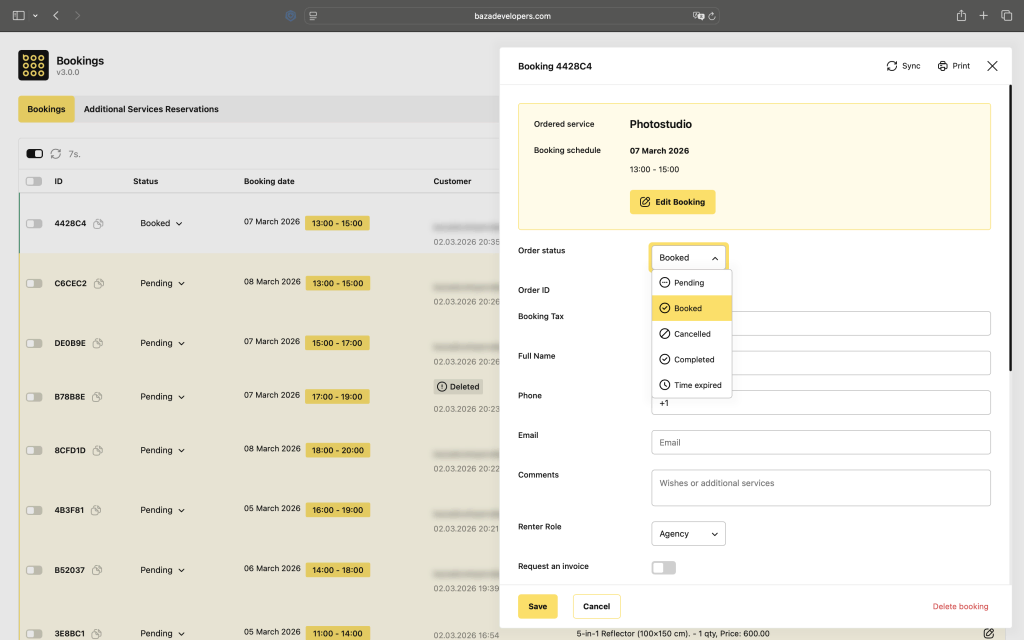
Booking Statuses
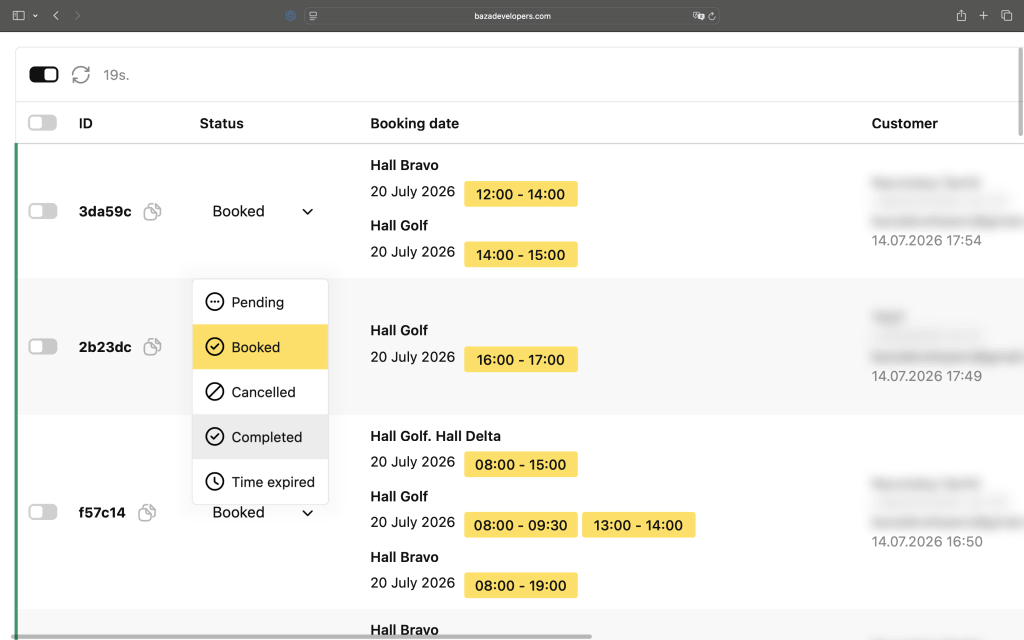
Pending: the booking has been received and is waiting for payment or manual confirmation. The slots are temporarily blocked and shown in yellow in the admin panel.
Booked: payment has been confirmed or the status was set manually. The slots are permanently blocked and shown in green.
Cancelled: the booking was cancelled and the slots are open again for new reservations. The record stays in the system for reference and is shown in red.
Completed: automatically assigned to bookings that were Booked and are older than six months. Kept for statistics.
Expired: same as Completed but applies to bookings that were Pending and never got confirmed.
Status changes happen automatically based on payment updates from the payment gateway, or can be set manually by the admin. When using Monobank, allow at least 5 minutes for the status to update.
