Messenger and Instagram
Messenger and Instagram can deliver website chats to linked members of your team. They share a Page access token and the Meta webhook settings. Each service has its own linked people and test control.
Connect your Page
- Obtain a Page access token for your Facebook Page with the pages_messaging permission.
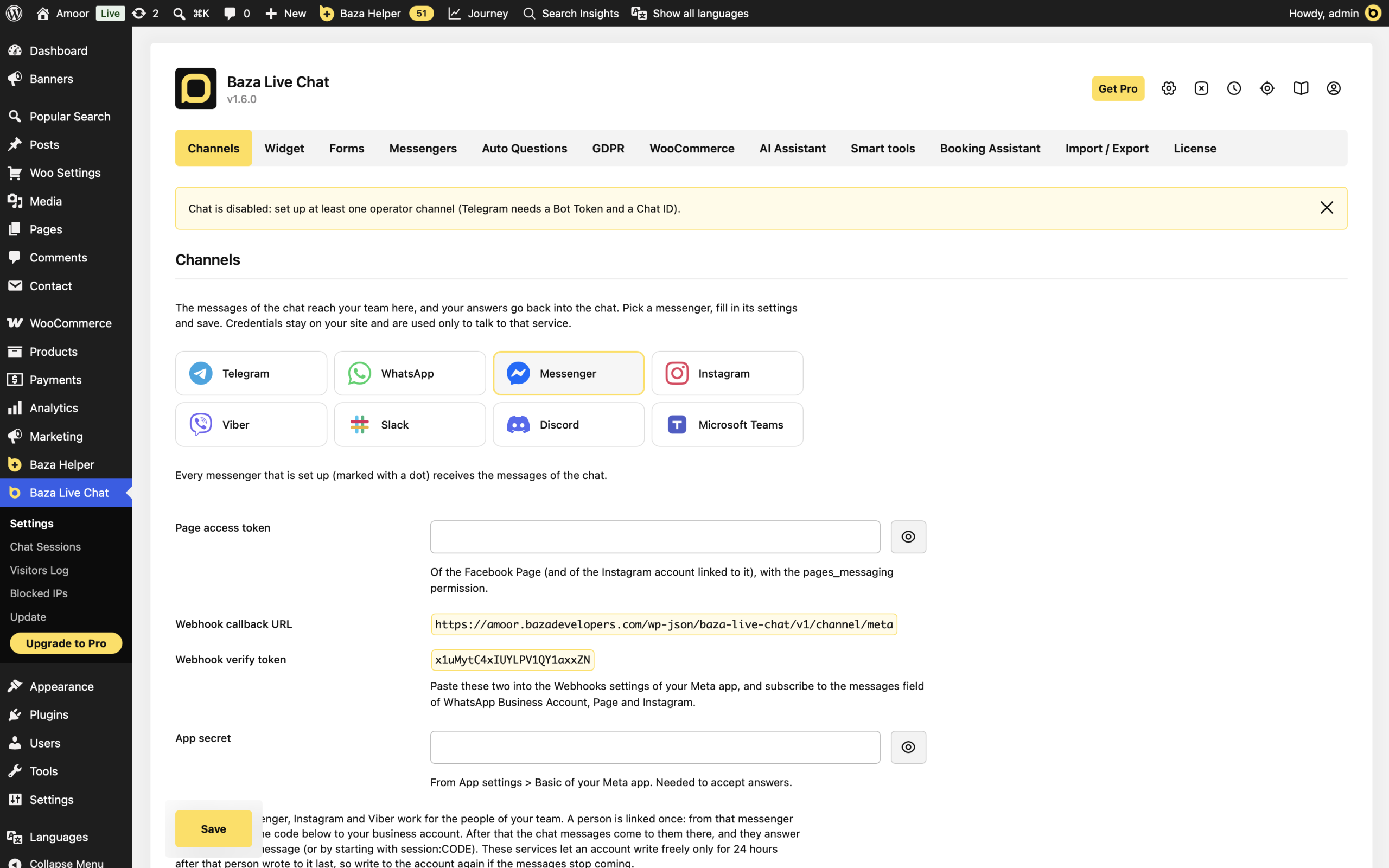
- In WordPress, open Baza Live Chat > Settings > Channels and select Messenger in Messenger.
- Paste the token into Page access token.
- To use Instagram as well, select Instagram and enable Also use the Instagram account linked to the Page. Use the Instagram account linked to that Facebook Page.
Set up the Meta webhook
- Copy Webhook callback URL and Webhook verify token from the Meta app section of the plugin settings.
- Enter them in the Webhooks settings of your Meta app. Subscribe to messages for the Page and, if used, Instagram.
- Copy App secret from the Meta app’s App settings > Basic into the plugin’s App secret field.
- Click Save. For use with real users, complete the app review required by Meta.
Link people and check replies
- Select the service you are setting up and find Linking code.
- Ask each team member to send link CODE to your business account from that service, using the displayed code.
- Check Linked people and click Send a test message for that service. Repeat for Instagram if your team uses both.
- Send a message from the website. In Messenger or Instagram, reply to its notification, or start your response with session:CODE and the chat code.
Plain text can use the most recent chat remembered for that operator for 30 minutes. For multiple chats, an explicit reply or session code is clearer.
If it does not work
- Nothing arrives: check the Page token, permissions, app review status and whether the team member is linked in the selected service.
- Instagram is silent: check that the account is linked to the Page and the Instagram option is enabled.
- Messages stopped after 24 hours: the team member should write to the business account again to reopen the messaging window.
- Replies are rejected: check App secret, the webhook URL and the messages subscription. An unlinked sender’s reply is not accepted.
- Read the test result and the latest chat error in settings before replacing credentials.
Last Modified: 30.10.2026
