This connection lets linked members of your team receive and answer website chats through WhatsApp Cloud API. It requires a Meta app and a WhatsApp business account. A phone number entered in the Messengers tab is only a visitor link and does not set up this integration.
Add the WhatsApp credentials
- In your Meta setup, obtain a permanent system-user access token with the whatsapp_business_messaging permission.
- Open WhatsApp > API setup in your Meta app and copy the Phone number ID. This is an identifier, not the telephone number.
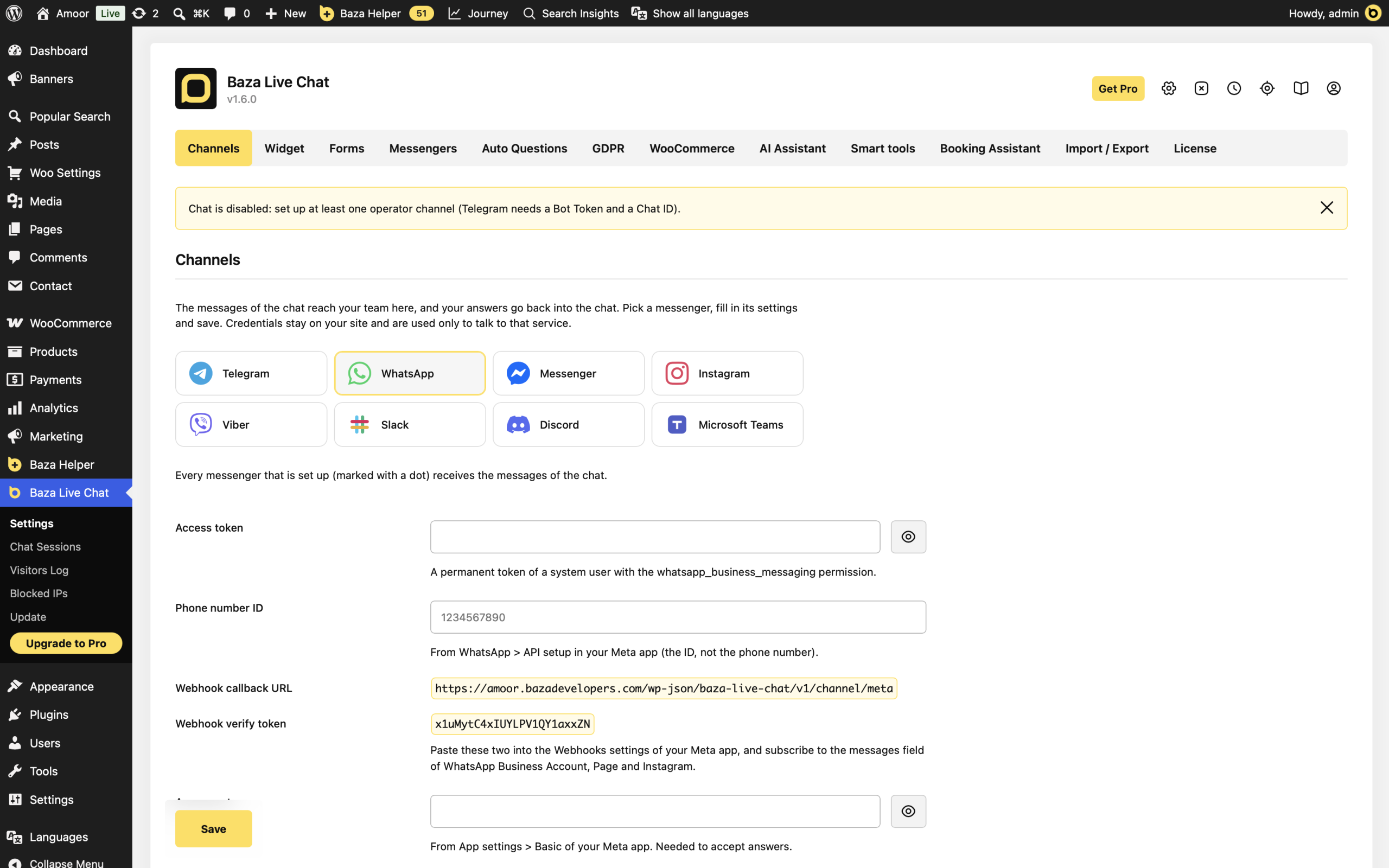
- In WordPress, open Baza Live Chat > Settings > Channels and select WhatsApp in Messenger.
- Enter Access token and Phone number ID.
Connect the Meta webhook
- In the same WordPress settings, find the Meta app section and copy Webhook callback URL and Webhook verify token.
- Paste them into the Webhooks settings of your Meta app. Subscribe to the messages field for the WhatsApp Business Account.
- Copy App secret from your Meta app’s App settings > Basic into App secret in WordPress.
- Click Save.
Link a team member and test
- Find Linking code in the channel settings. Give it only to the team members who should answer chats.
- From the team member’s WhatsApp account, send link CODE to your WhatsApp business account, replacing CODE with the displayed linking code.
- Check Linked people, then click Send a test message.
- Send a message from the website chat. Reply to its notification in WhatsApp and check that the answer reaches the visitor.
When handling several conversations, reply to the matching notification or start your answer with session:CODE and the correct chat code. Plain text can be routed to the most recent chat remembered for that operator for 30 minutes.
If it does not work
- No test message: confirm the token, Phone number ID and staff linking. Check the test result and the latest chat error in settings.
- Messages stopped after 24 hours: ask the team member to message the business account again. The messaging window depends on their last message to that account.
- Replies are rejected: check App secret, webhook verification and the messages subscription. Only linked people’s replies are accepted.
- Wrong conversation receives an answer: use a reply to its notification or an explicit session:CODE instead of plain text.
Last Modified: 30.10.2026
