Adjustable editor sidebar: make the WordPress block editor panels wider
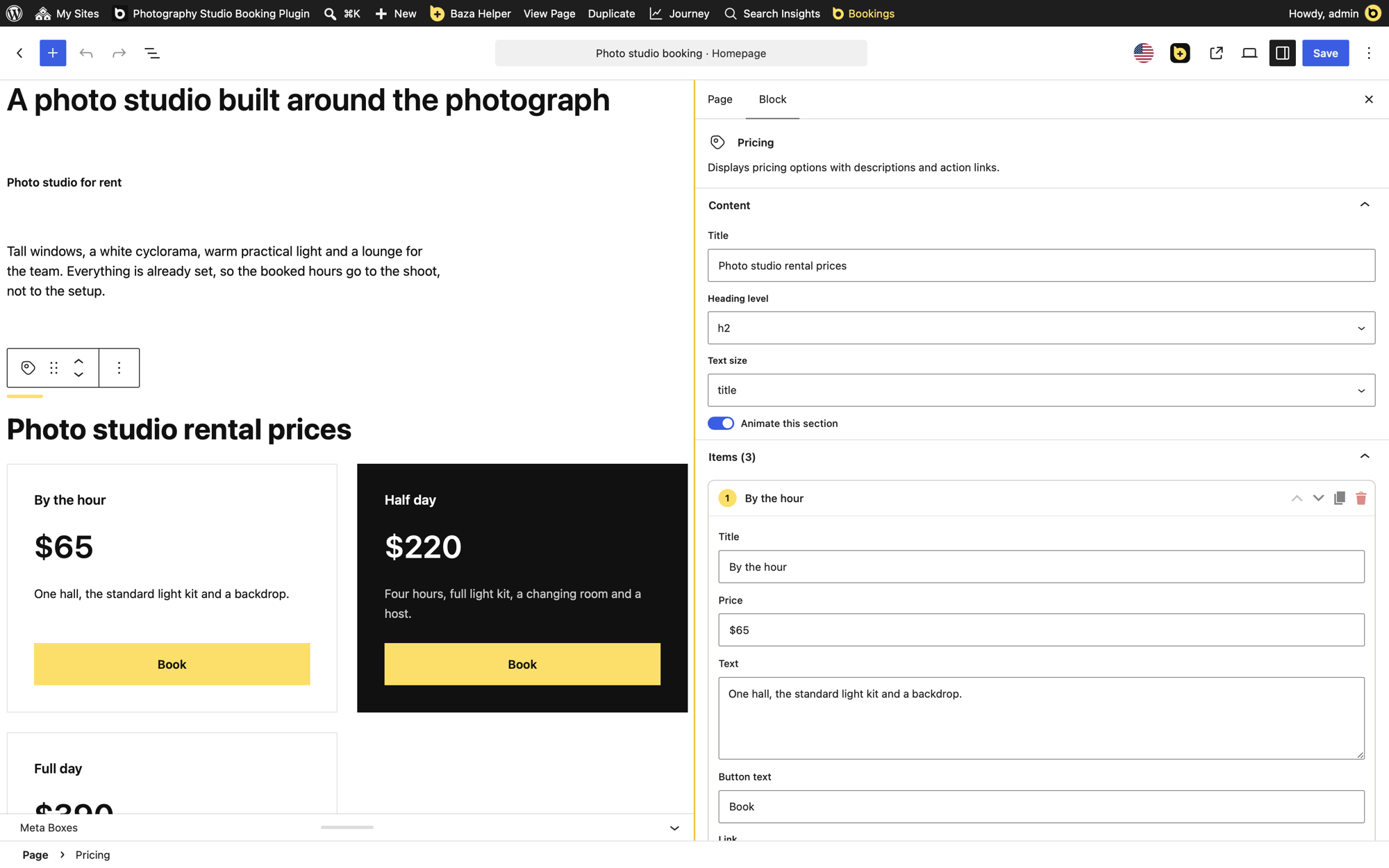
The panels of the block editor are narrow. On the right, the settings panel (the Page and Block tabs) cuts off long field names and the lists of some blocks, such as Items or FAQ. On the left, the panel with the List View, the Outline and the block inserter cuts off long block names. The helper Adjustable editor sidebar adds a handle to each panel, so you can make it wider or narrower.
How to resize the panels
- The settings panel on the right has a handle on its left edge. The panel on the left (List View, Outline, the block inserter) has a handle on its right edge. Drag a handle to make its panel wider or narrower.
- The width goes from 280 to 900 px, and never more than 60% of the window.
- Double-click a handle to return to the usual width. With the keyboard, press Esc or Home while the handle has focus.
- With a handle focused, the arrow keys change the width by 20 px, and with Shift by 60 px.
Where it works
It works in the block editor for posts, pages and products, and in the Site Editor, on screens 782 px wide and more. On a phone the panels fill the whole screen, so the handles are not shown.
The widths are saved for you
The width of each panel is saved separately, for each user, in the profile of that user. It is the same in every browser and on every editor screen. Another user keeps their own widths.
Turn it on
- Open Baza Helper > Helpers.
- Find Adjustable editor sidebar. It is off by default: tick it.
- Save. The handles appear in the block editor. Clear the tick and save to remove them.
What it does not do
- It does not change the editor or the content of your pages.
- It does nothing on the public site, for visitors.
- It does not work on phones, where the panels take the whole screen.
It is for users who can edit posts.
Questions
Why are my field names cut off in the sidebar?
The settings panel has a fixed width in WordPress. Drag the handle on its left edge to make it wider and the long names show in full.
Why are block names cut off in the List View?
The panel on the left has a fixed width too. Drag the handle on its right edge to widen it.
How do I go back to the normal width?
Double-click the handle, or press Esc or Home while it has focus.
